Projects ParaBlox
A SaaS for assembling documents from approved content.
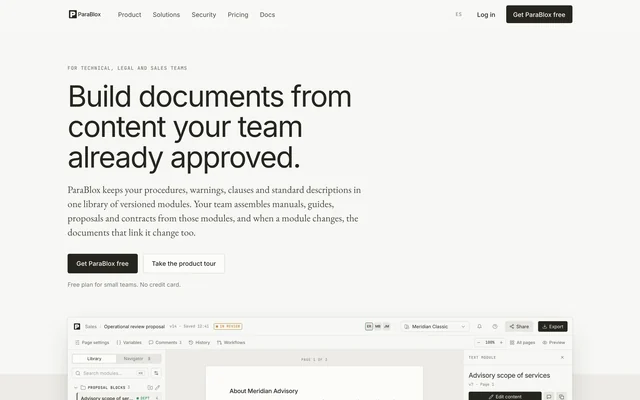
ParaBlox lets technical, legal and sales teams assemble manuals, proposals and contracts from reusable text modules. The client came to us with the idea and a prototype. We built the complete product.
- Client
- ParaBlox, by Labhat Group Pty Ltd, Melbourne
- Industry
- Business software (SaaS)
- What we did
- Product, back end, front end, design, documentation, videos and guides
The context
Manuals, guides, proposals and contracts repeat the same paragraphs: the confidentiality clause, the payment terms, the company description. When that text lives in copies, every change means opening one file after another, and sooner or later an outdated version reaches a client.
The idea for ParaBlox came from a company in Melbourne, Australia, which reached Brova through a referral. It arrived with a well-developed prototype and was looking for a team to turn it into a real product.
The challenge
Moving from a prototype to a product that many companies use every day. While planning it, we identified four fronts.
- Many companies in one system. Each with its own workspaces, departments, permissions and plans, and with its data kept separate from everyone else’s.
- An editor that respects the page. A contract is conceived in pages: what you see on screen has to be what comes out in the PDF.
- Starting from what already exists. Teams keep their documents in Word and PDF, and nobody wants to rewrite them by hand.
- Security from day one. Contracts and proposals are sensitive information for every company.
The whole product, with a single team
We built the back end, the app, the design, the website, the documentation, the videos and the guides. We also took part in creating the brand name.
How do you write an approved paragraph just once so that it appears, always up to date, in every document that uses it?
The decisions
Three rules shape the entire product.
Versioned modules
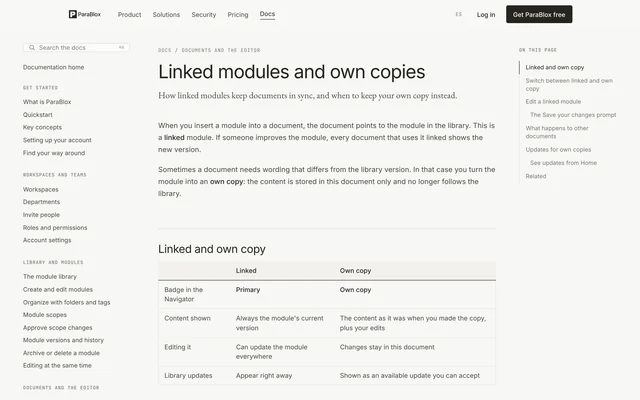
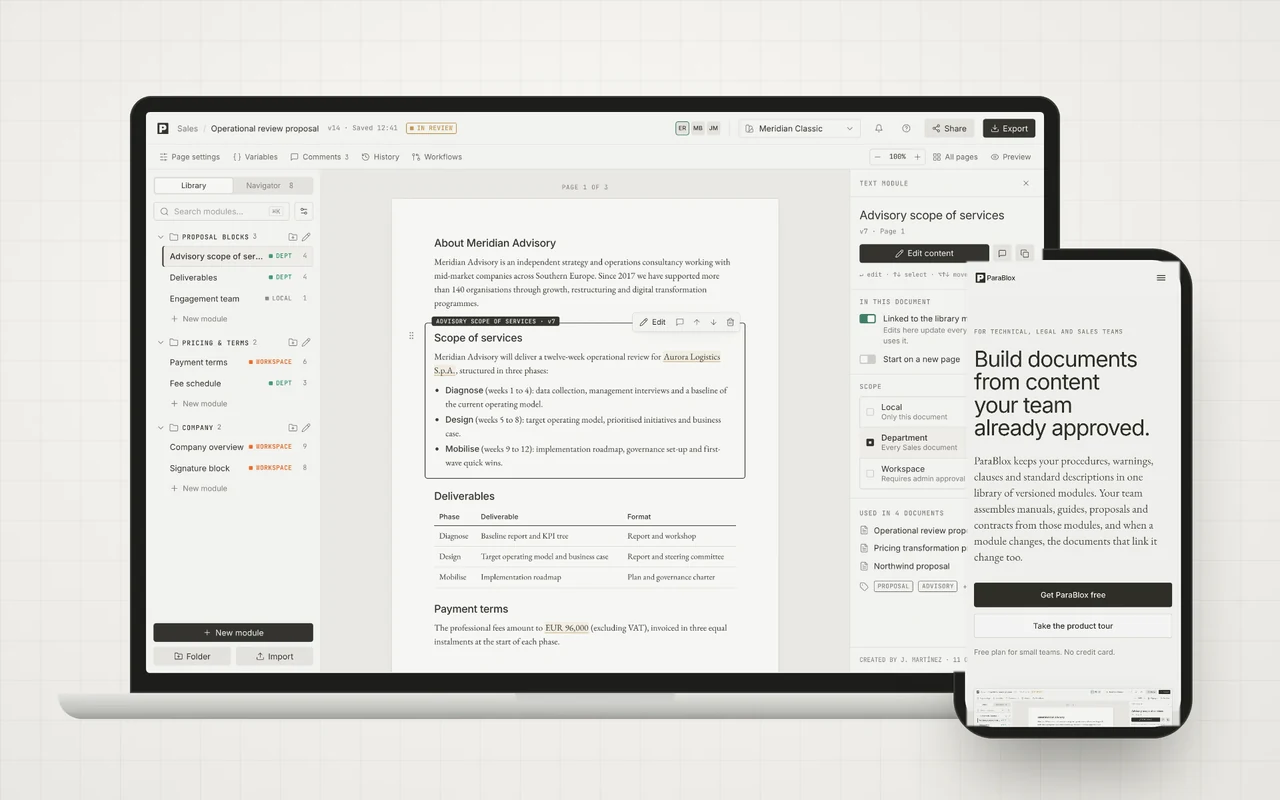
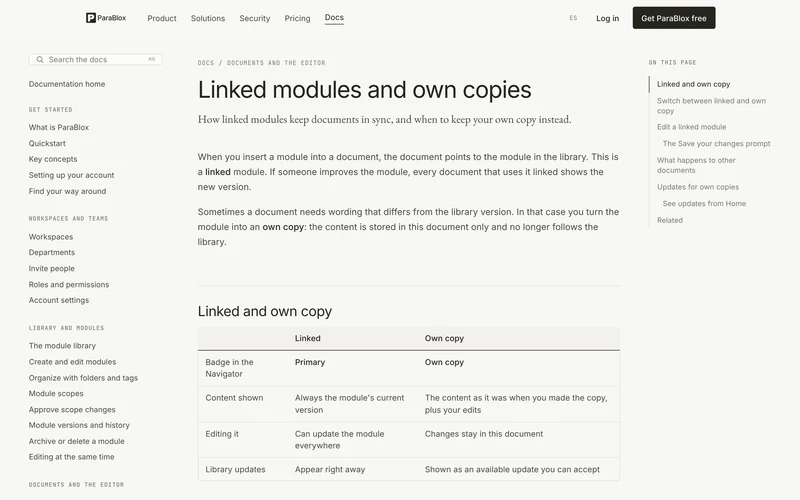
Every save creates a version. A document either links to the module and receives its changes, or keeps its own copy.
The page as the unit
The editor shows real pages, and the PDF is produced from the same layout, so pages break exactly where they were seen.
Scope decides who uses what
A module can be local, belong to a department or be shared across the whole workspace, and widening its scope can require approval.
The product in under two minutes.
The narrated video we made for the ParaBlox home page.
What we did, screen by screen.
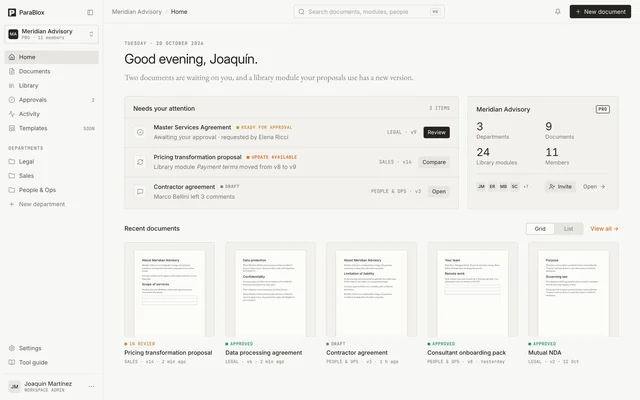
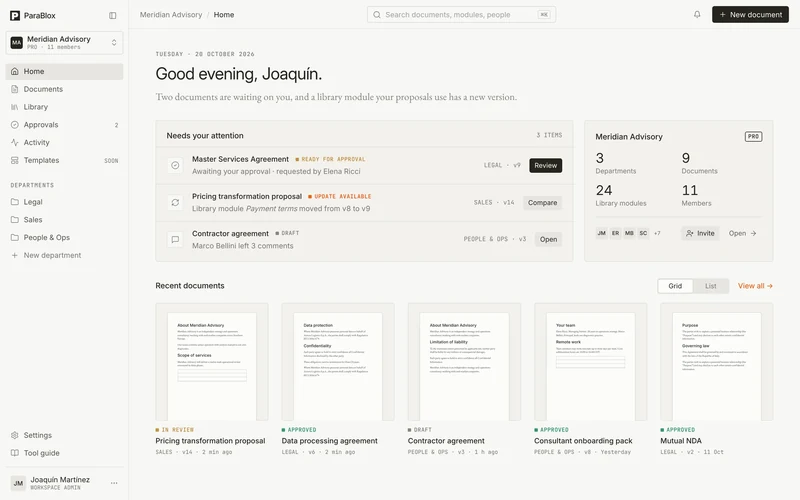
A home screen that says what to do
The home screen shows what needs attention: documents awaiting approval, modules with a new version and unresolved comments. Below them are the recent documents, each with its status.
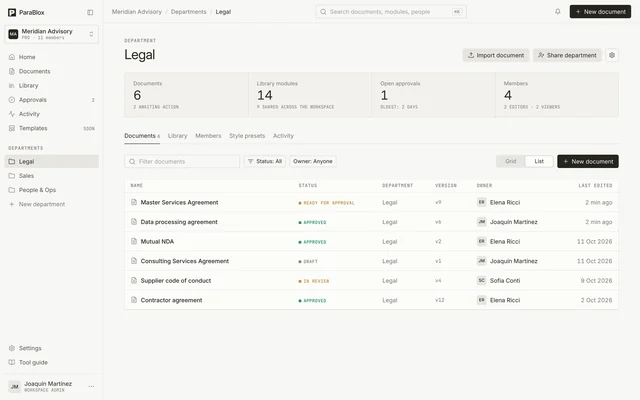
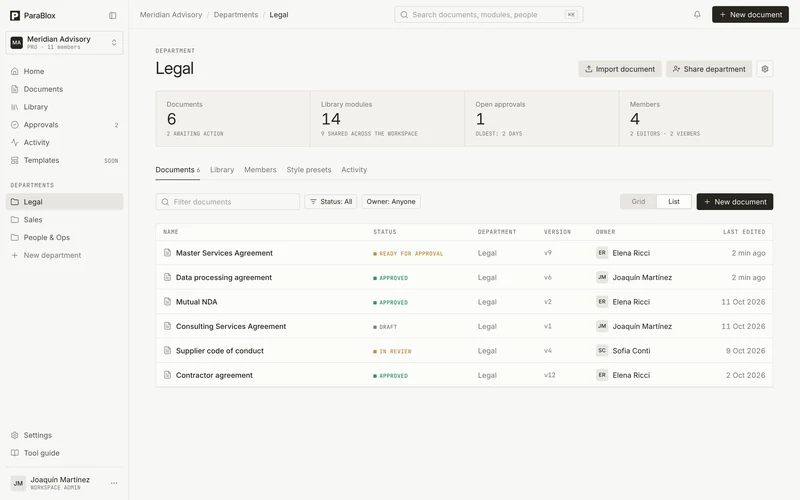
Each department has its own page, with its documents, library, members and activity.
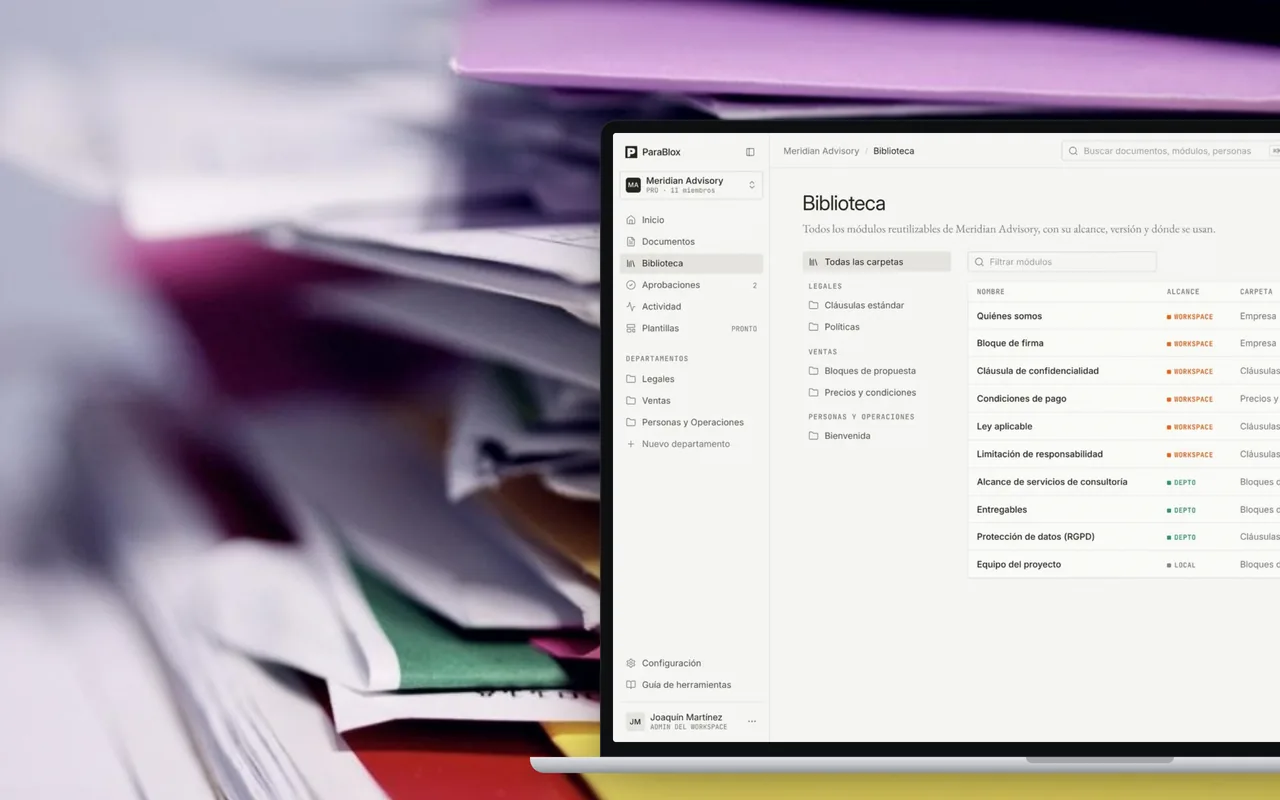
A library of modules
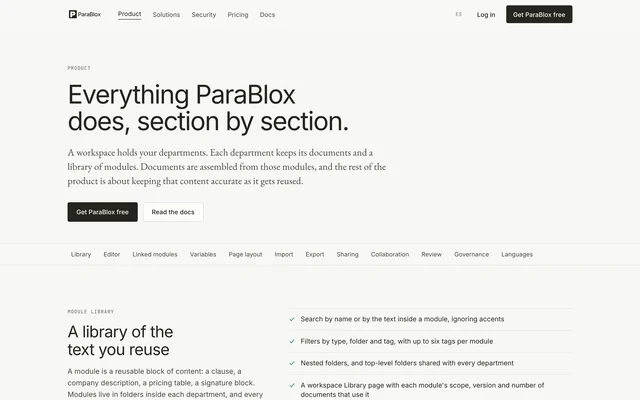
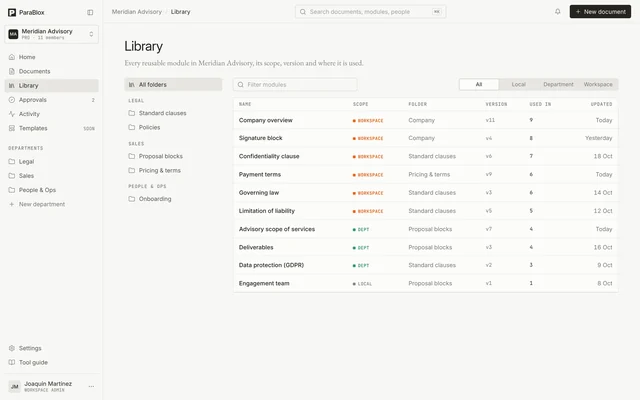
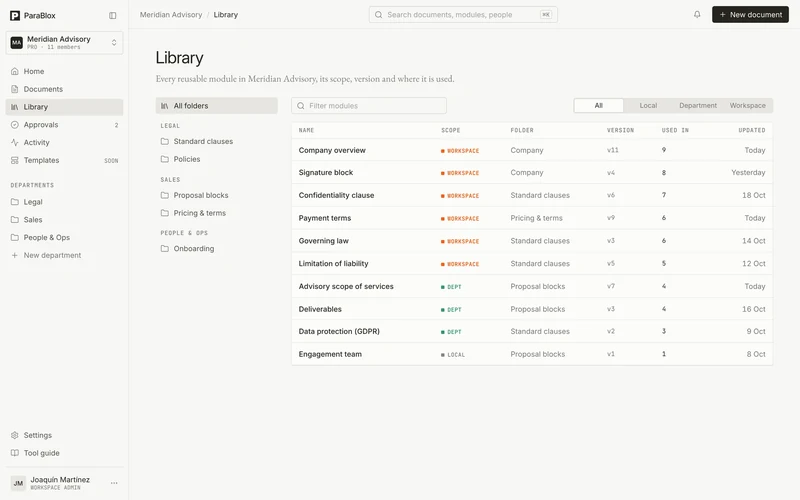
Modules live in folders within each department. They can be searched by name or by the text they contain, regardless of accents, and filtered by type, folder and tag.
Each module shows its scope, its version and how many documents use it, so you know what will be affected before you change it.
An editor with real pages
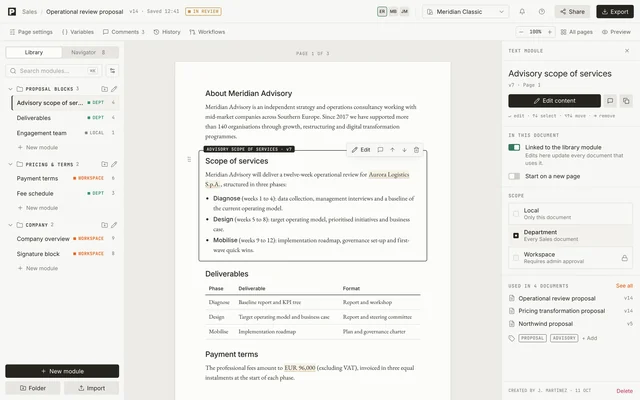
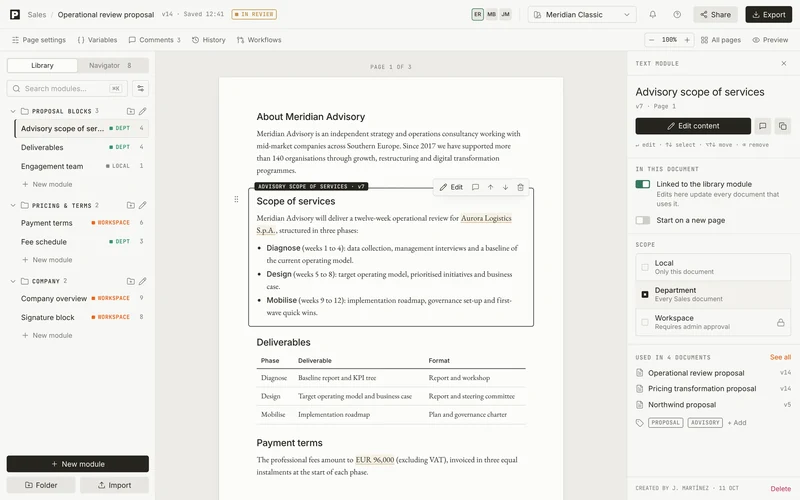
The document looks exactly as it will print: pages, margins and modules that split across pages at a line, an item or a table row. The library sits on the left and the inspector for the selected module on the right.
Modules are inserted with a click or by dragging, and reordered from the document navigator.
One change, every document
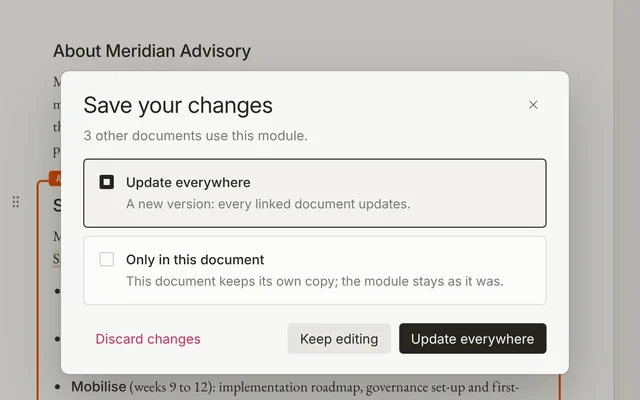
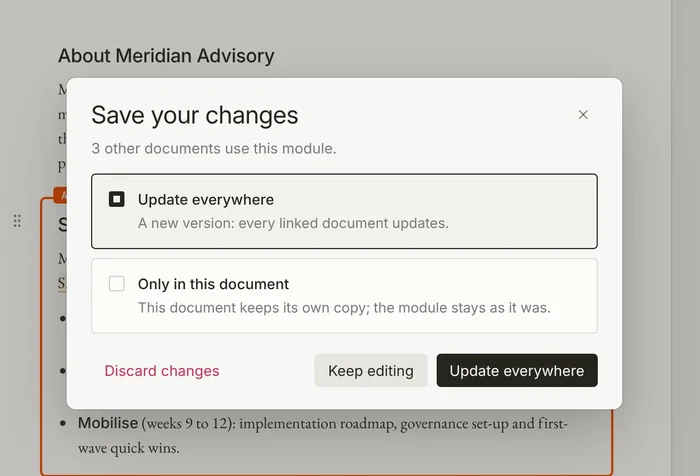
When you save a module that other documents use, ParaBlox asks how far the change should reach: update it everywhere or only in this document.
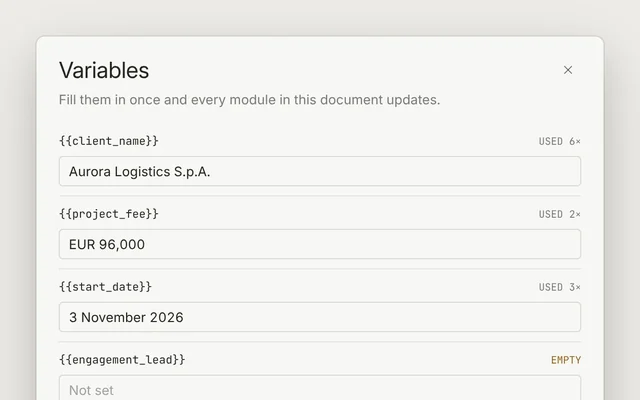
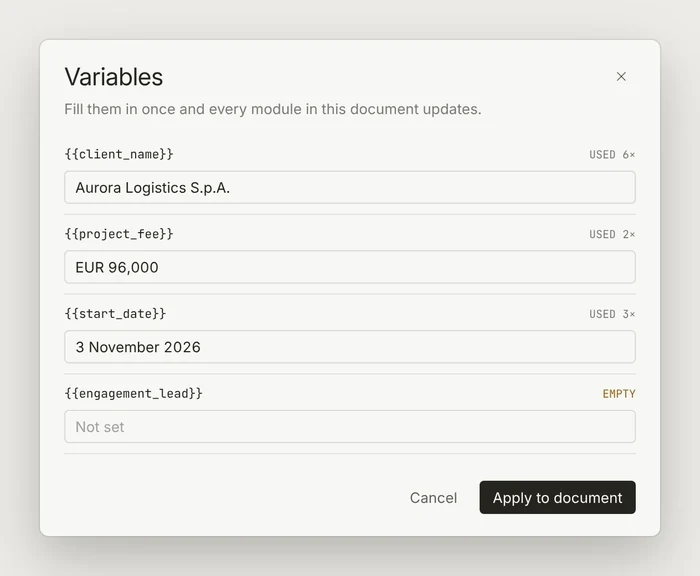
Variables such as {{client_name}} are filled in once per document and appear in every module that uses them. The same module therefore works for any client.
Importing Word and PDF
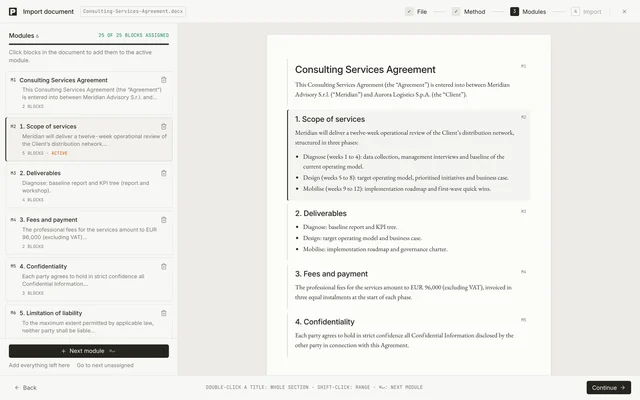
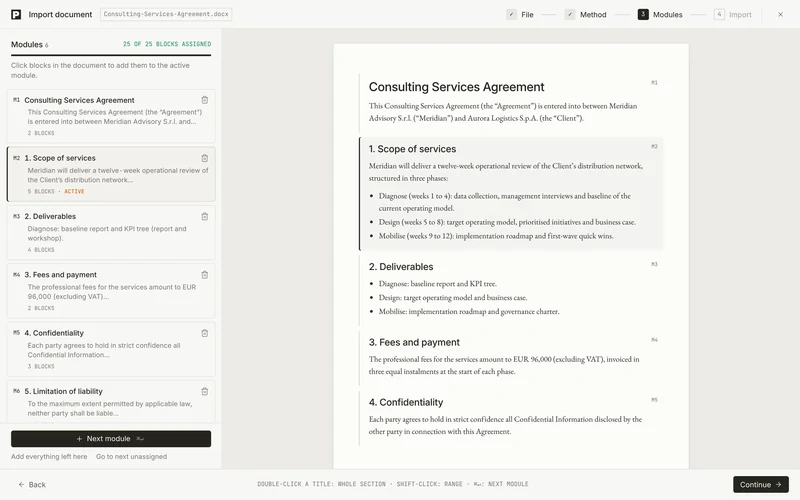
A .docx or .pdf file is split into modules wherever the headings and topics change. The split can be adjusted with a few clicks, and nothing is saved until you confirm.
The file is processed in the browser, and the page size, margins, headers, footers and page numbers are preserved.
Reviews and approvals
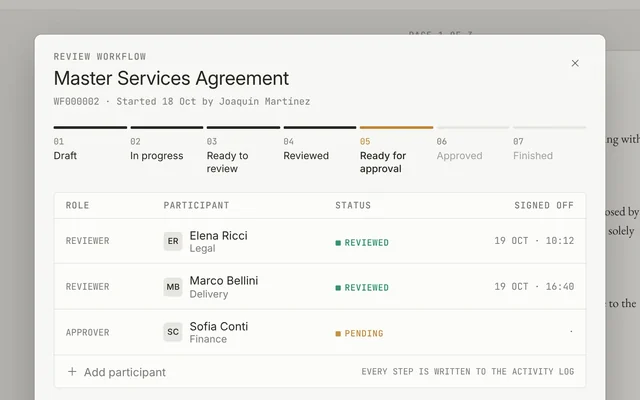
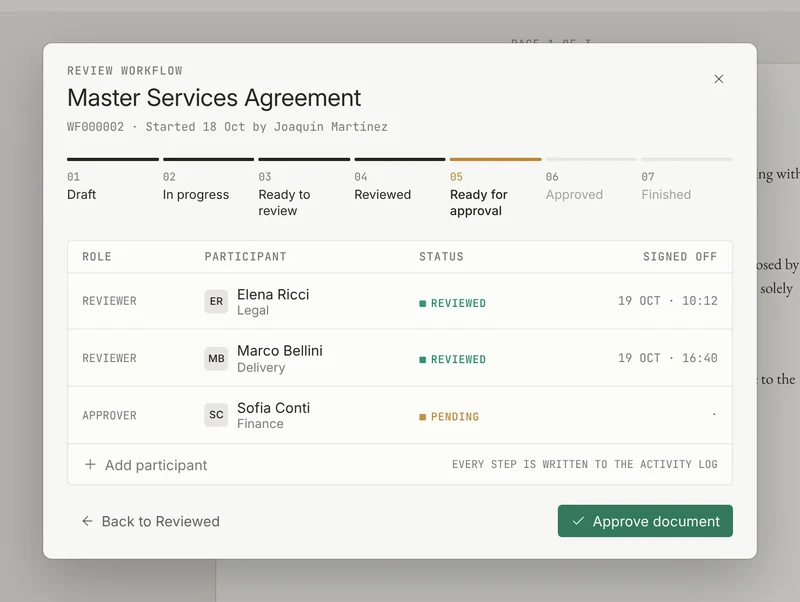
On the Enterprise plan, each document can go through a workflow with reviewers and approvers grouped by area, from draft to approved. Every step is recorded in the history.
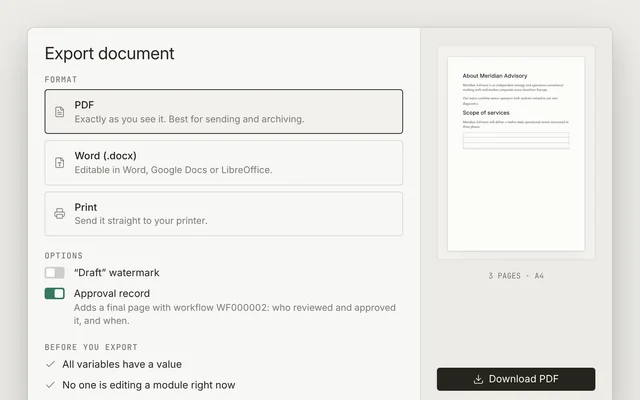
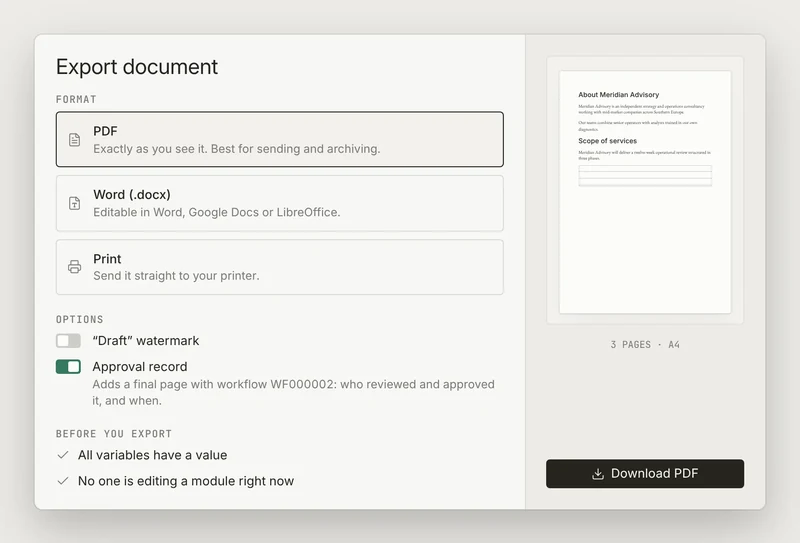
When exporting to PDF or Word, the document can include a final page showing who reviewed and approved it, and when. Before exporting, ParaBlox warns you if any variables are empty or any modules are still being edited.
Website, documentation and videos
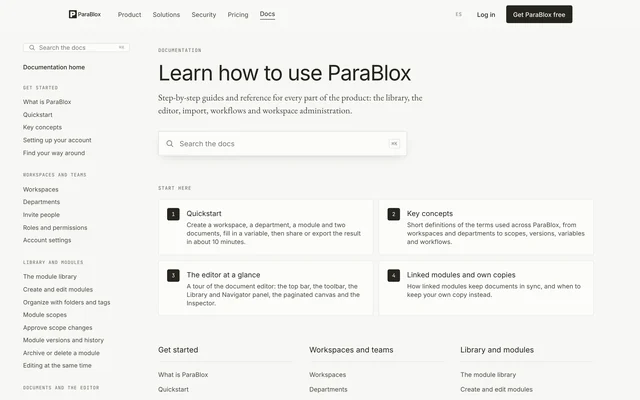
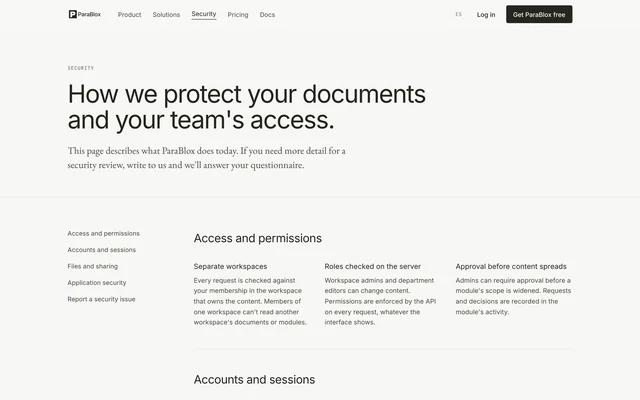
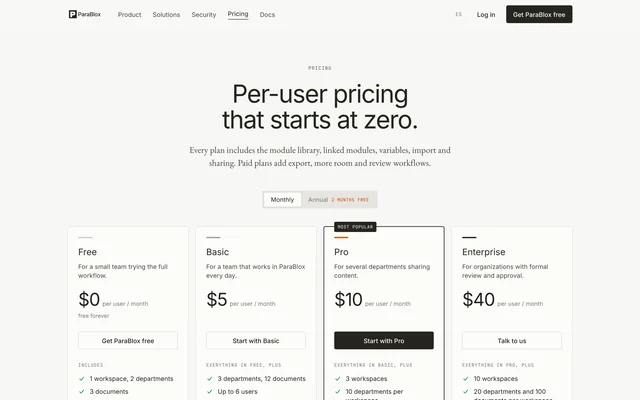
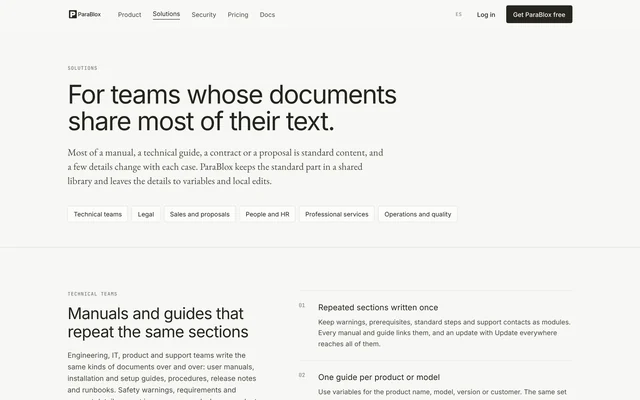
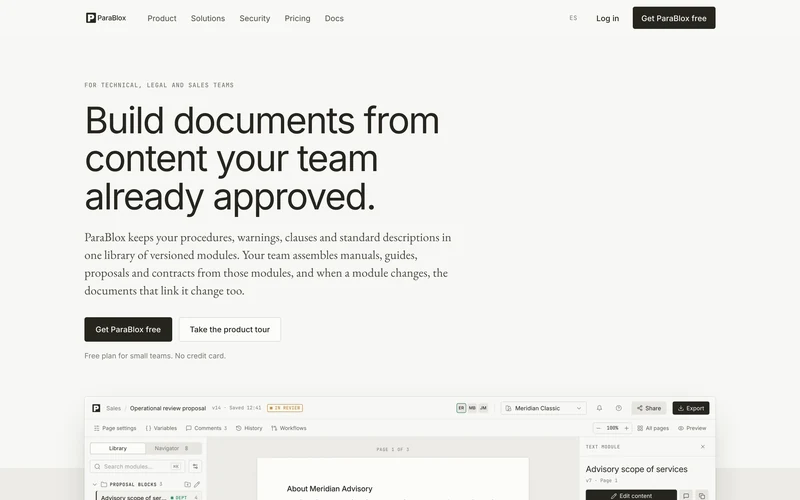
We designed and wrote the website in English and Spanish, covering product, solutions, security and pricing. The help centre has 45 articles in each language, with search.
We also produced the narrated product video that opens the home page and a teaser for investors. The app is translated into 12 languages.
The stack
ParaBlox is a TypeScript monorepo with five services. The API uses Fastify, Prisma, PostgreSQL and Redis. The app is built with Next.js and React, and the text editor uses Tiptap. A separate service generates PDFs with headless Chromium, and the website is exported as static HTML.
Everything runs in Docker containers on a private dedicated server, with separate testing and staging environments. Changes go through continuous integration on GitHub Actions before release.
- Next.js
- React
- TypeScript
- Tailwind CSS
- Fastify
- Prisma
- PostgreSQL
- Docker
- Tiptap
- dnd-kit
- Redis
- Headless Chromium
- GitHub Actions
- Resend
- Sentry
Security at every layer
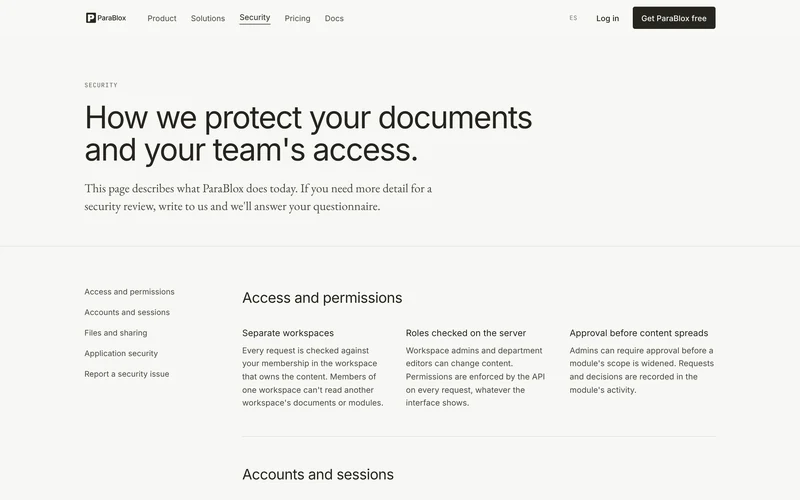
On every request, the server checks that the person belongs to the workspace that owns the content, so no company can read another’s documents. Passwords are stored with bcrypt, and sign-in, registration and password recovery are rate-limited.
The PDF service runs on its own network, with no access to the database. Before launch we audited all the code and added more than 30 automated tests that run with every change.
A console for the founders
An internal dashboard shows each workspace’s usage, manages accounts and plans, and controls the testing and staging environments.
History and sharing links
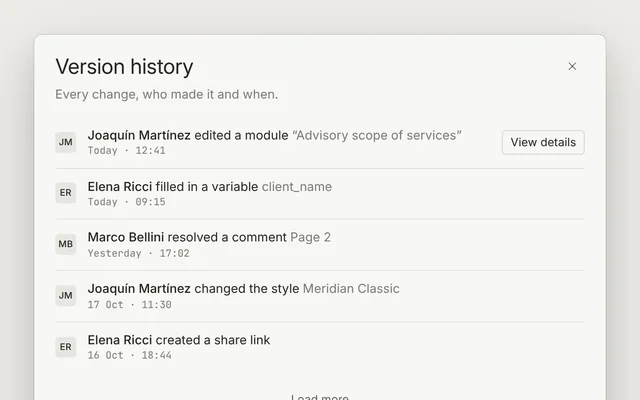
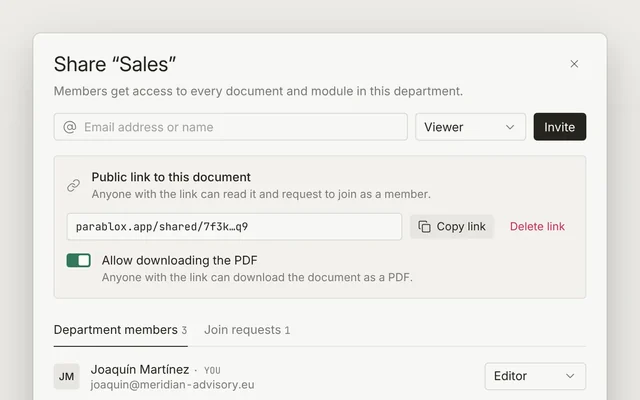
Each document records who changed what and when, with a before-and-after view. A link allows it to be shared with people outside the workspace.
Results
ParaBlox is currently in testing. Once it launches, we will add usage data to this case study.
What we learned
- A good prototype shortens the road. The client arrived with the idea and the logic worked out, and our work focused on building the product.
- In a document editor, the page rules. If what you see does not match what is exported, nobody trusts the tool.
- Reusing content needs rules. Scopes, roles and approvals prevent a change from reaching documents where it does not belong.
- Importing is the front door. Nobody starts from scratch, and bringing in existing Word and PDF files makes it possible to get going on day one.
- Security has to be tested. Auditing the code and writing a test for every point reviewed before launch leaves a foundation that can be verified with every change.